Meeting software for events

You run the event.
We run the meetings.

Who meets whom, when, and at which table. People book themselves, guests can meet each other too, everyone gets told, and the schedule stays right when the day moves.

Lantern Climate SummitLive
Founders3:41 pm4:11 pm4:41 pm
Example SolarCortina · Table 1Ada FenwickExample Climate FundFranco BellExample Capitalopen
Example BatteriesCortina · Table 2Elin MarshExample AngelsopenopenJonah ReeveExample Pilot Fund
Example TimberCortina · Table 4Camille OttoExample VenturesGreta OyelaranExample Partnersopen
Example GridCortina · Table 3Dev RasmussenExample Impact Fundopenopen

Nobody emailed anybody to make this happen.

  • Set up in minutes
  • Pay per event, not per seat
  • Built in New Zealand
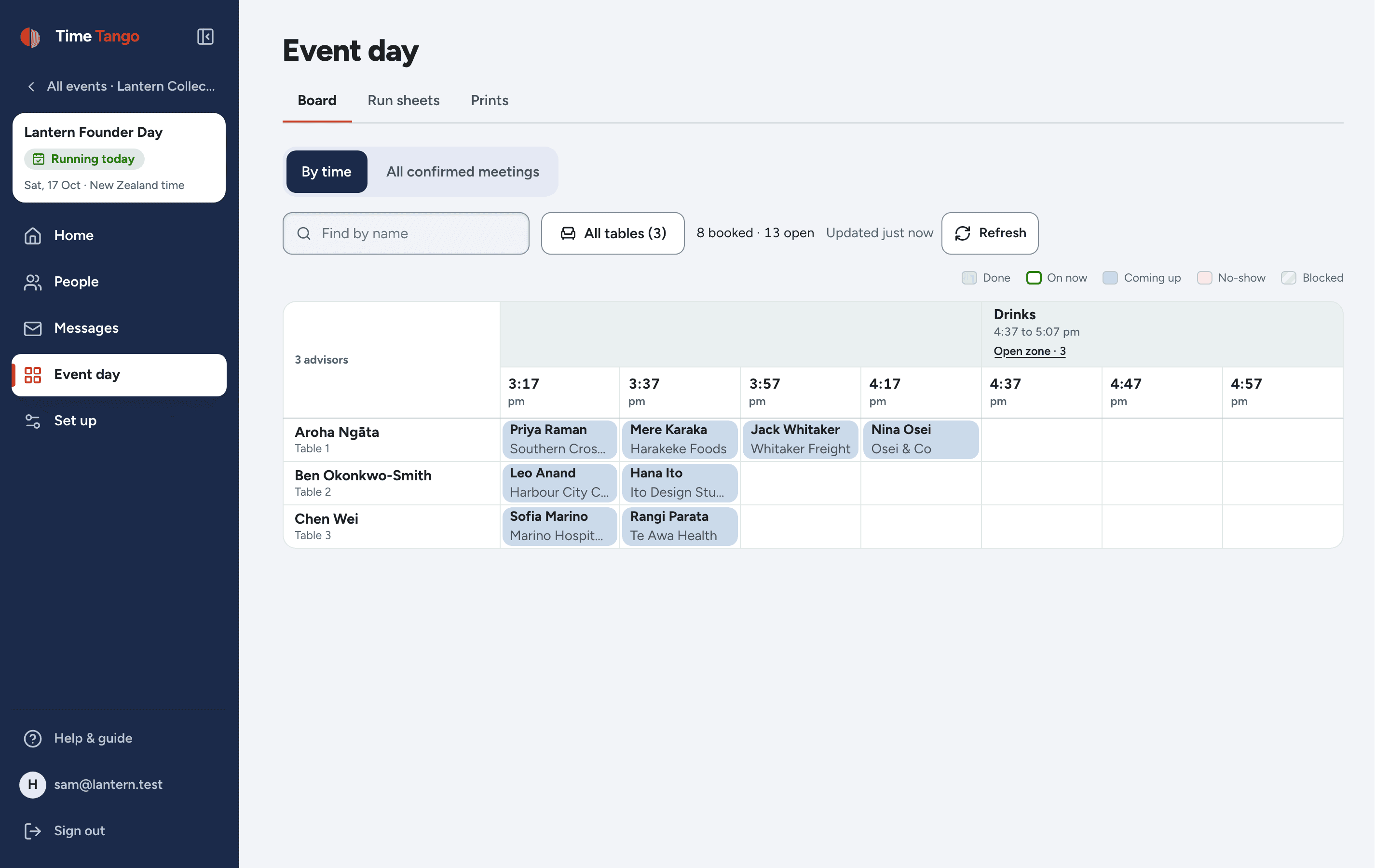
The live board on the day: advisors down the side, times across the top, each booked meeting in its cell, and the Drinks meeting block showing how many guests are meeting each other in the open zone
The board on the day. Every meeting booked by somebody else, the Drinks block counting the guests meeting each other in the open zone. Tap a meeting to move it, mark a no-show, or cancel it.
The problem

The event is the easy part. The meetings are the mess.

Matching people up, chasing the ones who haven't answered, and rebuilding the schedule every time something moves. That is the part nobody has software for.

Today
On Time Tango
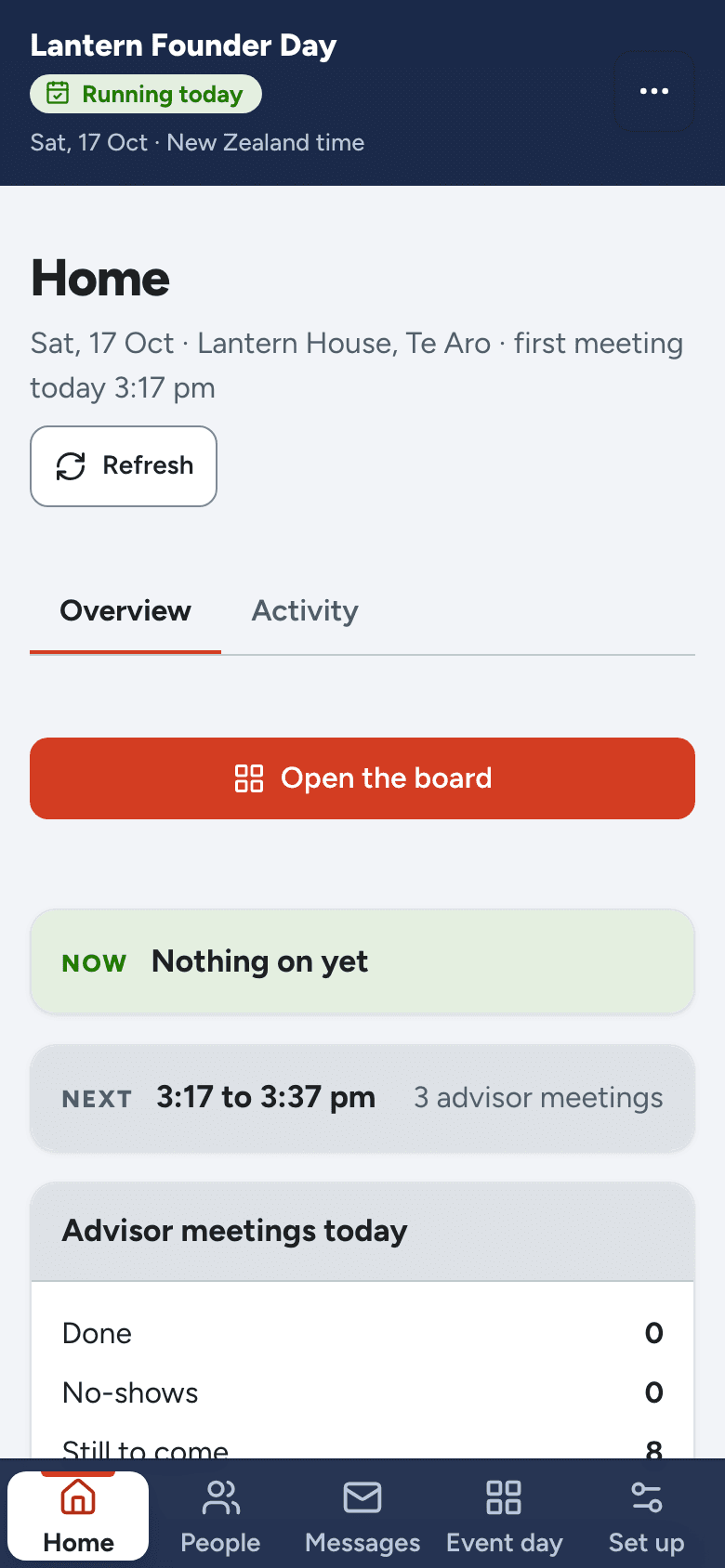
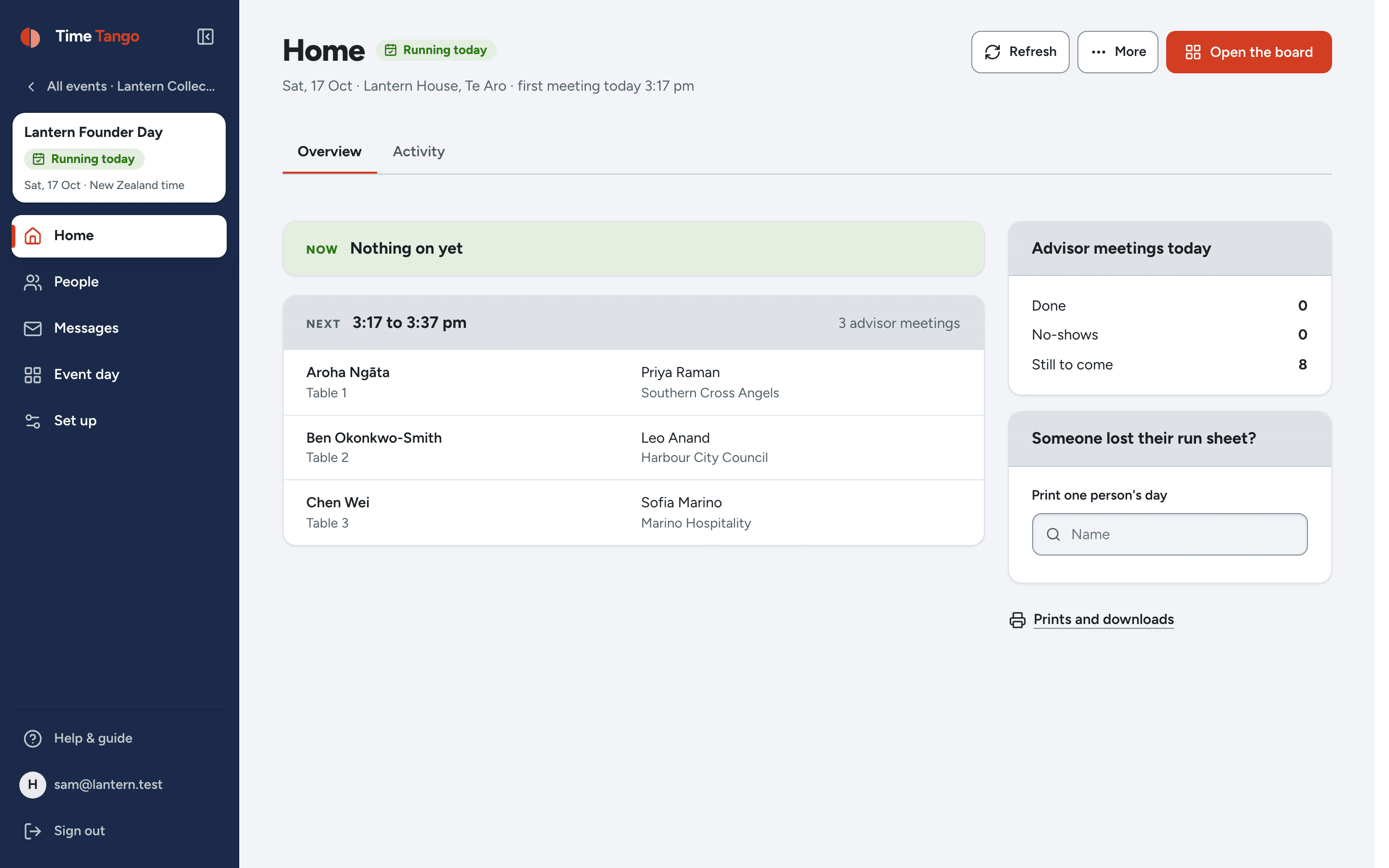
The organiser's Home on the day: what is on now and next, the numbers for the day, and the one thing to do next
  • Meetings_FINAL_v3(2).xlsxOne schedule, always current
  • Chasing forty people by emailReminders that send themselves
  • One no-show, three problemsThe freed slot goes to the waitlist

Calendar tools pair two diaries and stop there. They can't match a founder to the right investor, hold both sides of a meeting, or run a room of back-to-back sessions. That's the part we do.

What you can run

Two ways to fill the schedule.

You pick one when you set the event up. Everything after that, the schedule, the emails, the run sheets, the day itself, works the same either way. And on either, your guests can meet each other as well.

Anyone can book

Open booking

You publish who is available and when. Whoever is coming picks a person and a time, and it's theirs on the spot. First in, first served, no approval step.

Made for mentor hours, advisor clinics, office hours, careers days.
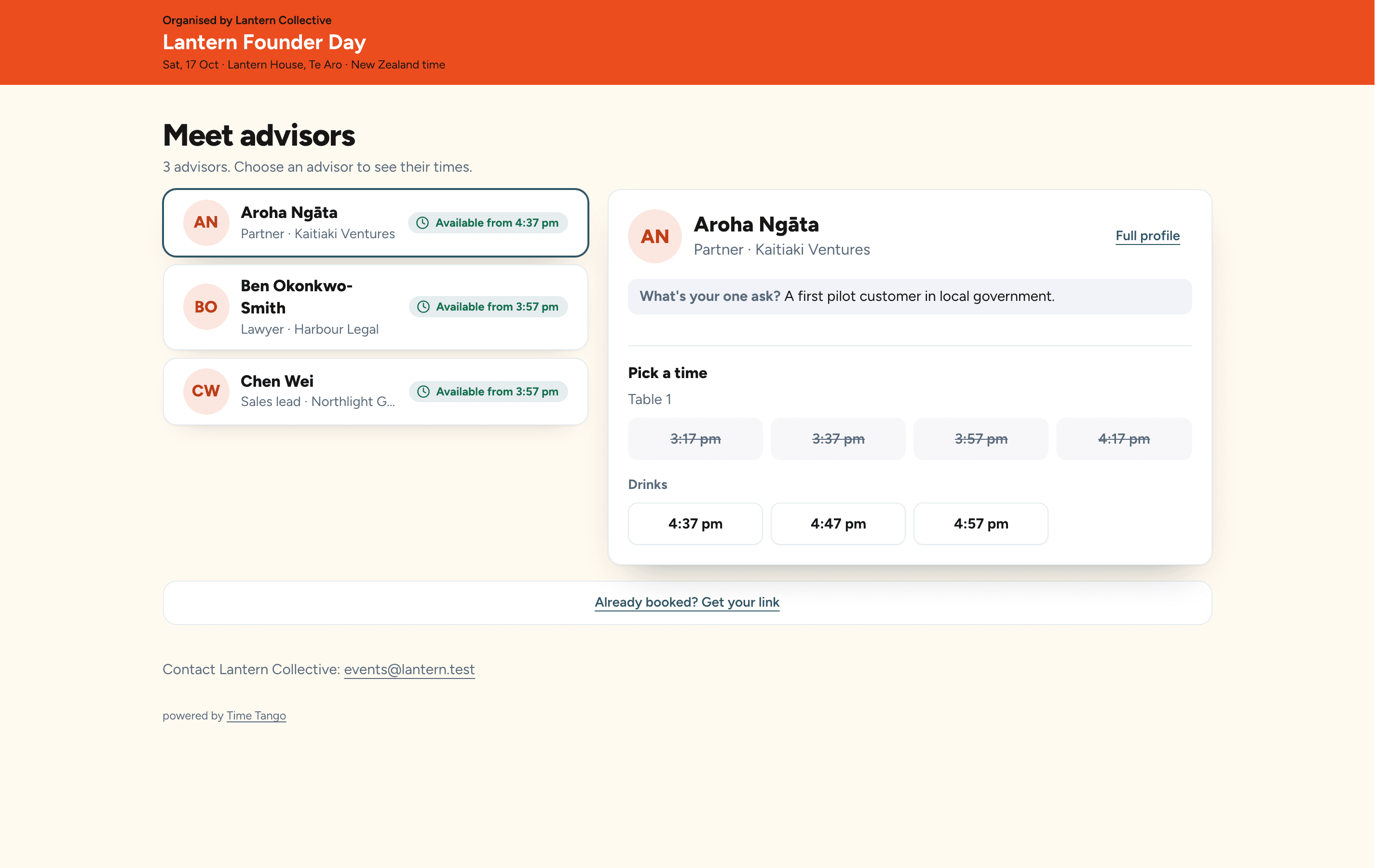
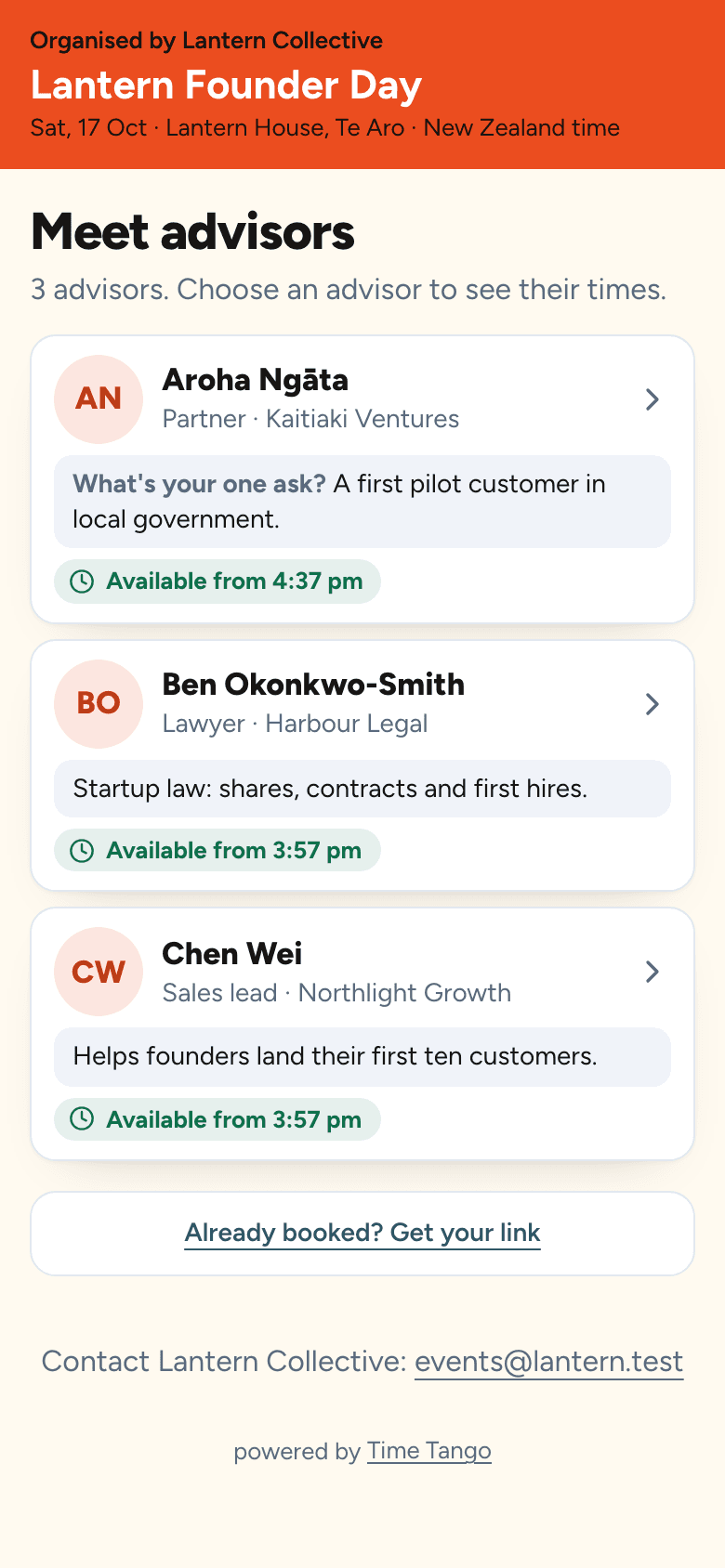
A booking page in the organiser's own brand colours, listing advisors with their open times as tappable buttons
The same booking page on a phone
Both sides agree

Request and approve

Two groups opt into each other. One side asks for a meeting, the other says yes or no, and every yes lands in the schedule without a clash. Nobody ends up in a room they didn't agree to.

Made for investor days, buyer and supplier matchmaking, partner summits.

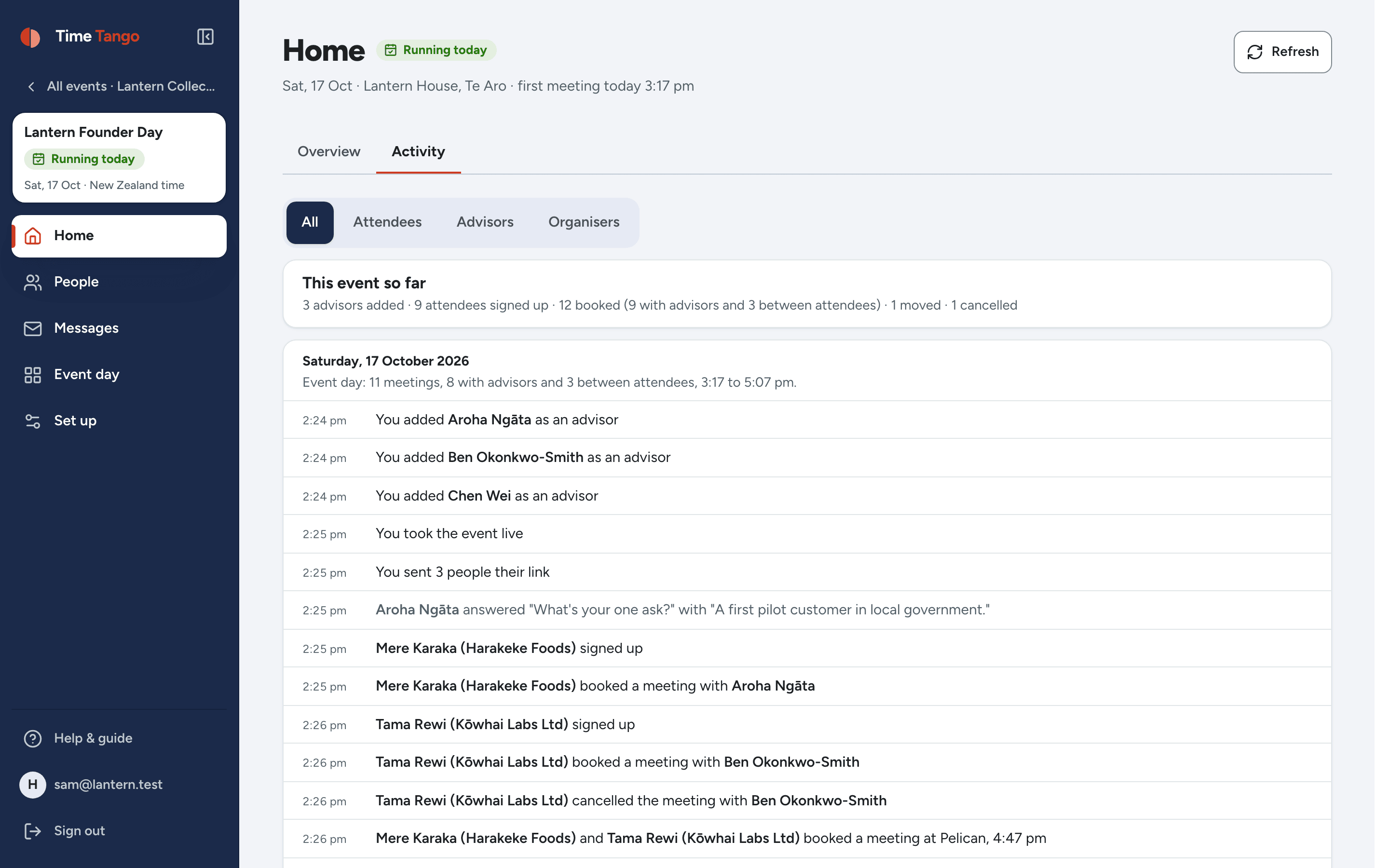
The activity page: dated entries reading who booked whom, who moved a meeting, and who marked a time they can't do

In the pipeline

  • Office hours that run all year
  • Roundtables and group clinics
  • Speed networking rotations
  • Careers fairs

Same engine, new formats. If your event works a way we haven't met yet, tell us about it.

New

Your guests can meet each other too.

Turn it on for an event, name a few meeting points, and anyone who has signed in can invite anyone else for a time they are both free. The founders' tables stay the founders'; guests meet in the open zone, inside the meeting blocks you set.

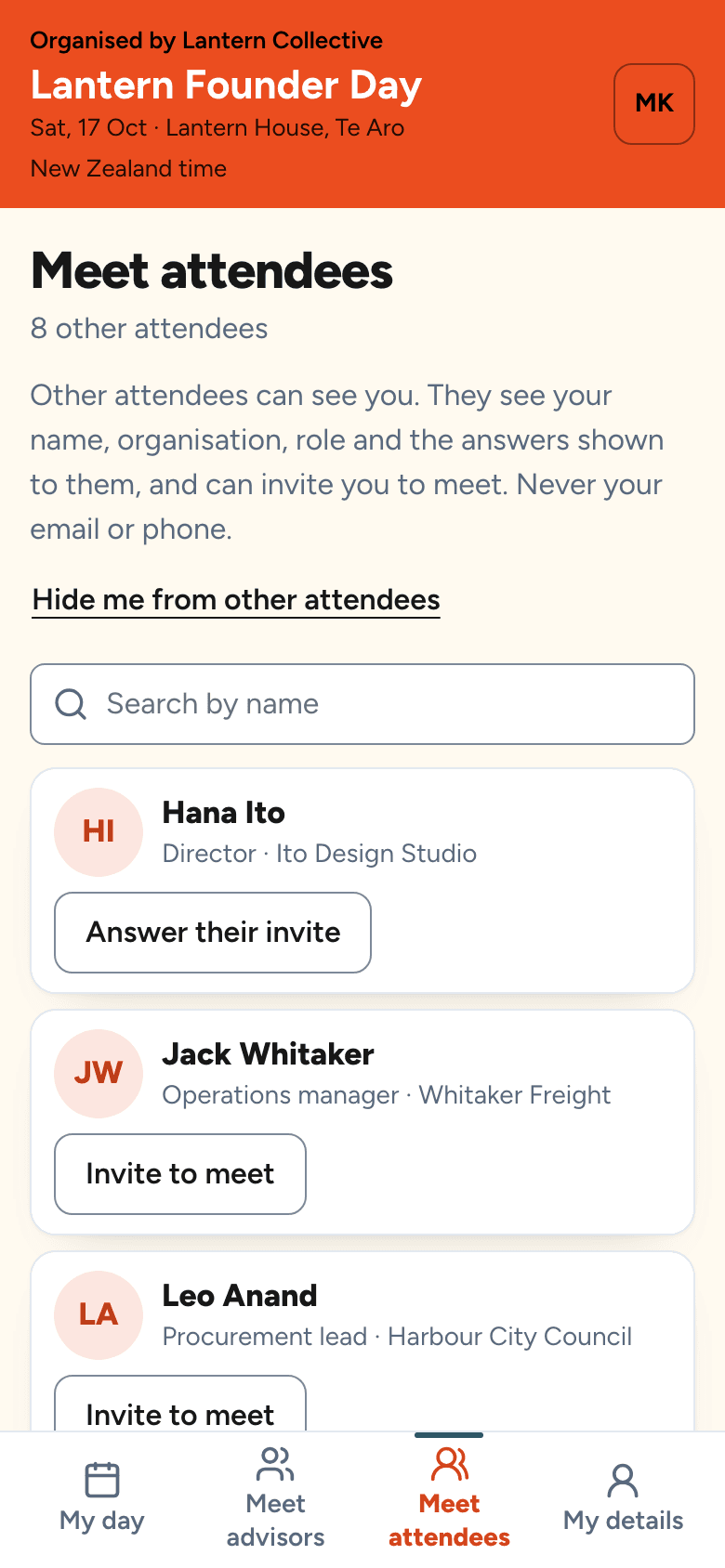
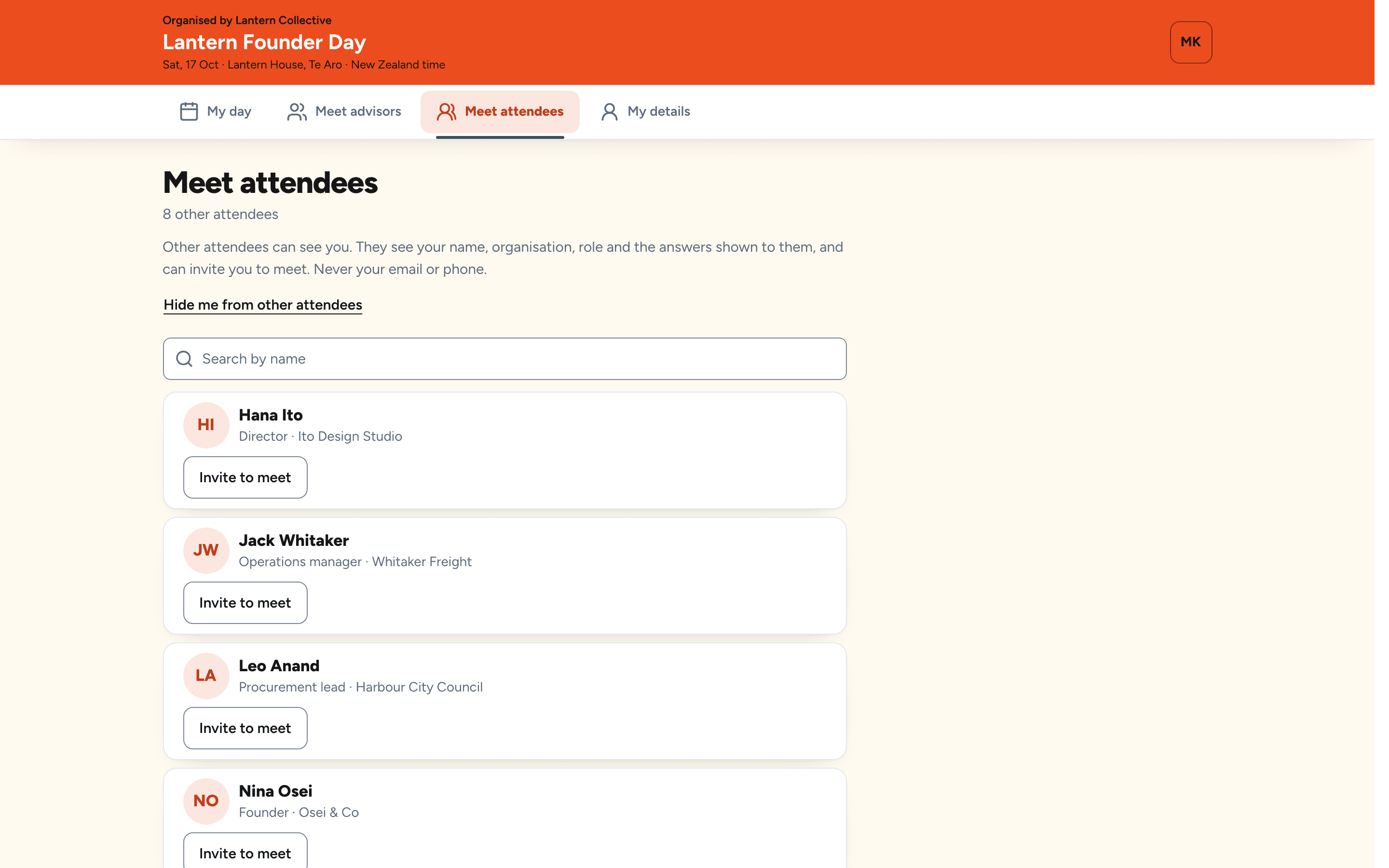
The guest list on a phone: each attendee's name, organisation and role, with an Invite to meet link on every card
01See who is in the room

Name, organisation, role and how they can help. Never an email or a phone number. Anyone can say "Hide me".

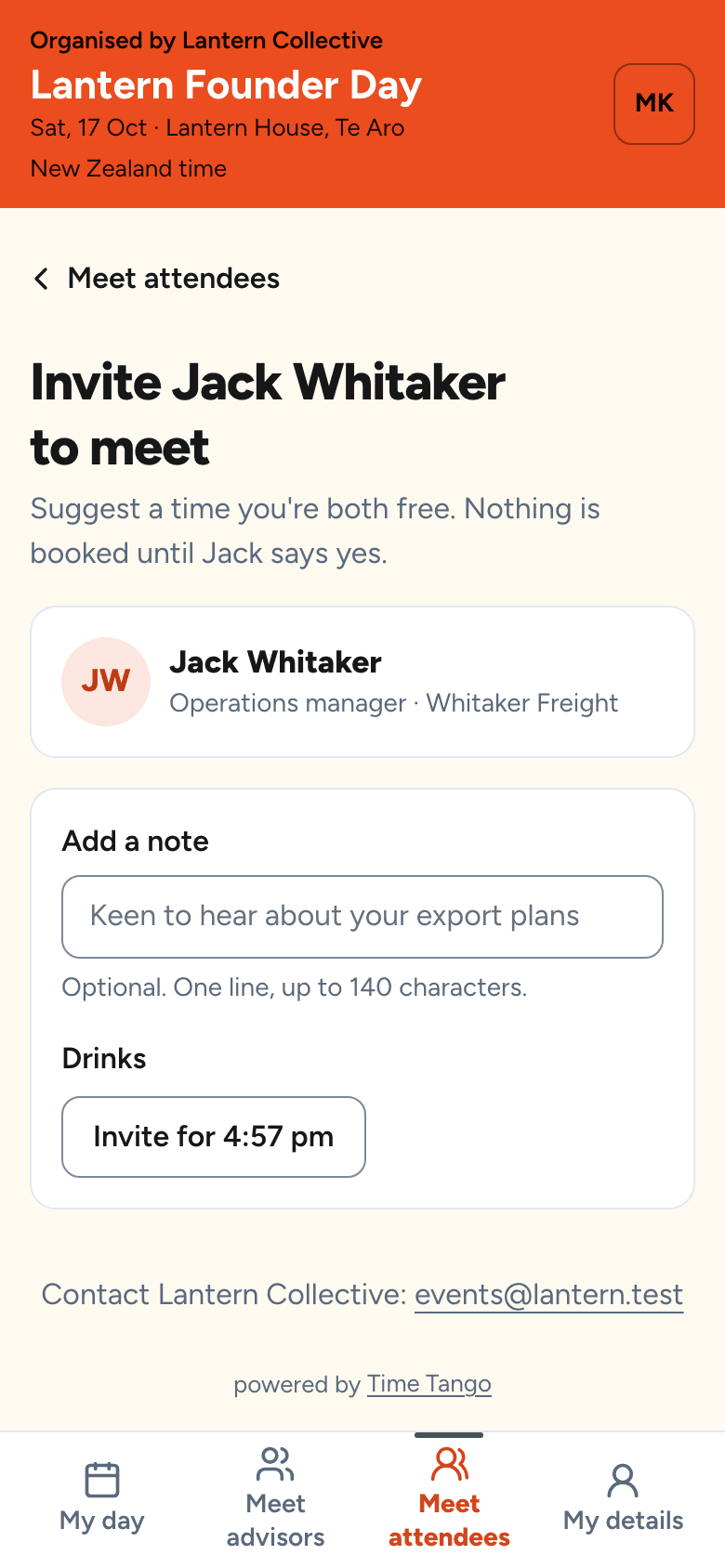
Inviting another guest to meet: only the times both are free, grouped under the meeting block, with a short note
02Invite them for a time you are both free

Only those times are offered, and only inside the meeting blocks. Add a line about why, and send it.

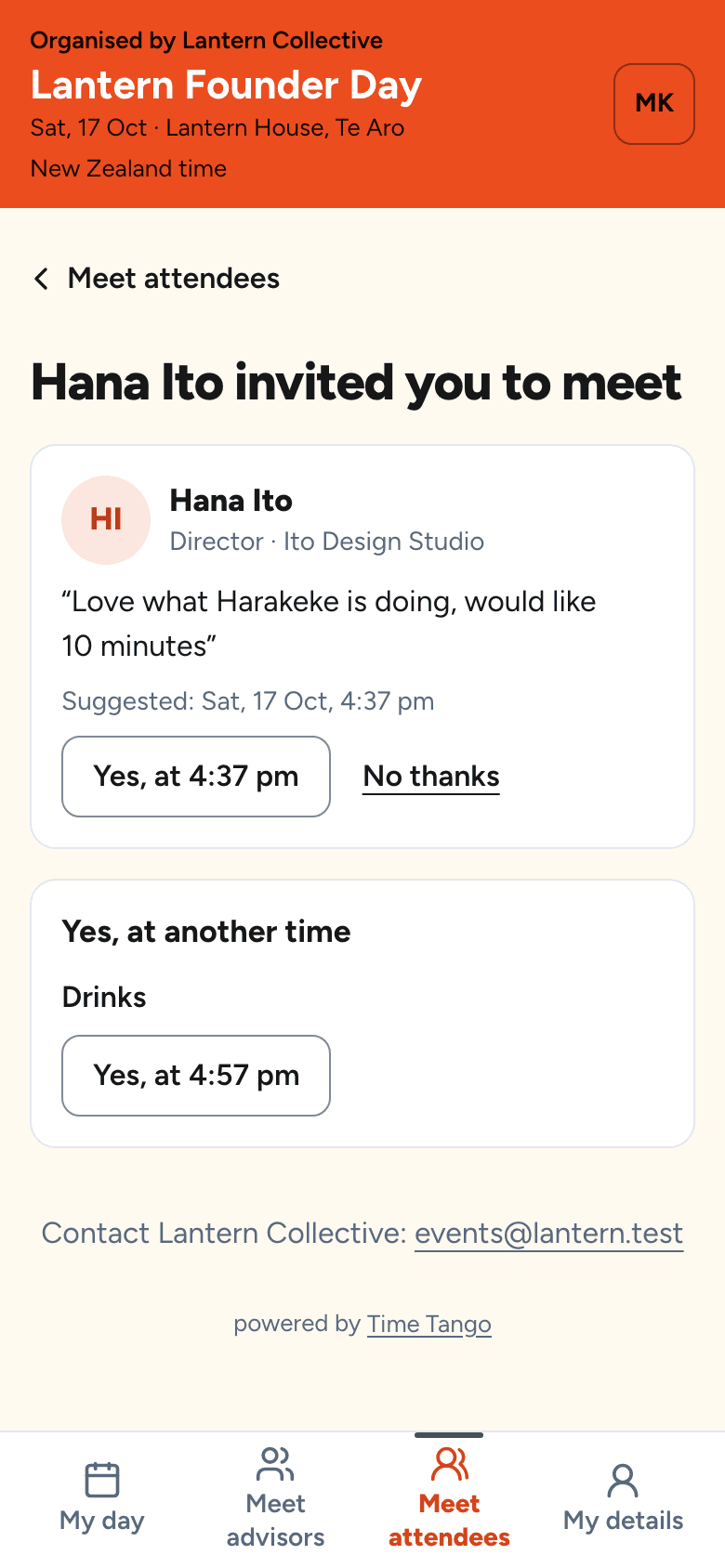
An invite on the other guest's day: who is asking, their note and the suggested time, with Yes at that time, Yes at another time, and No thanks
03They say yes, and it is booked

Yes at that time, yes at another, or no thanks. A yes goes into both days with a meeting point, and both are told.

Your side of it is a list.

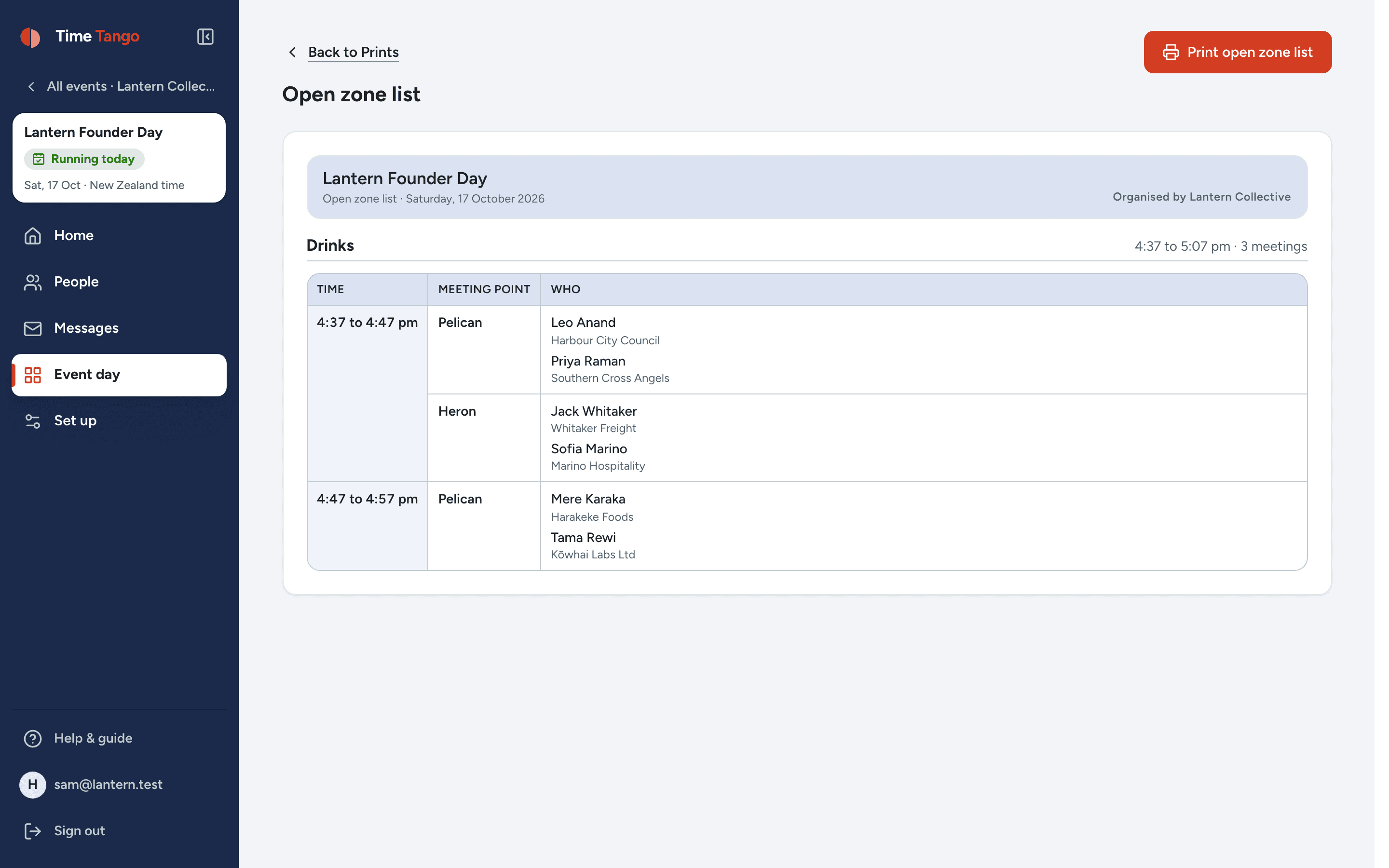
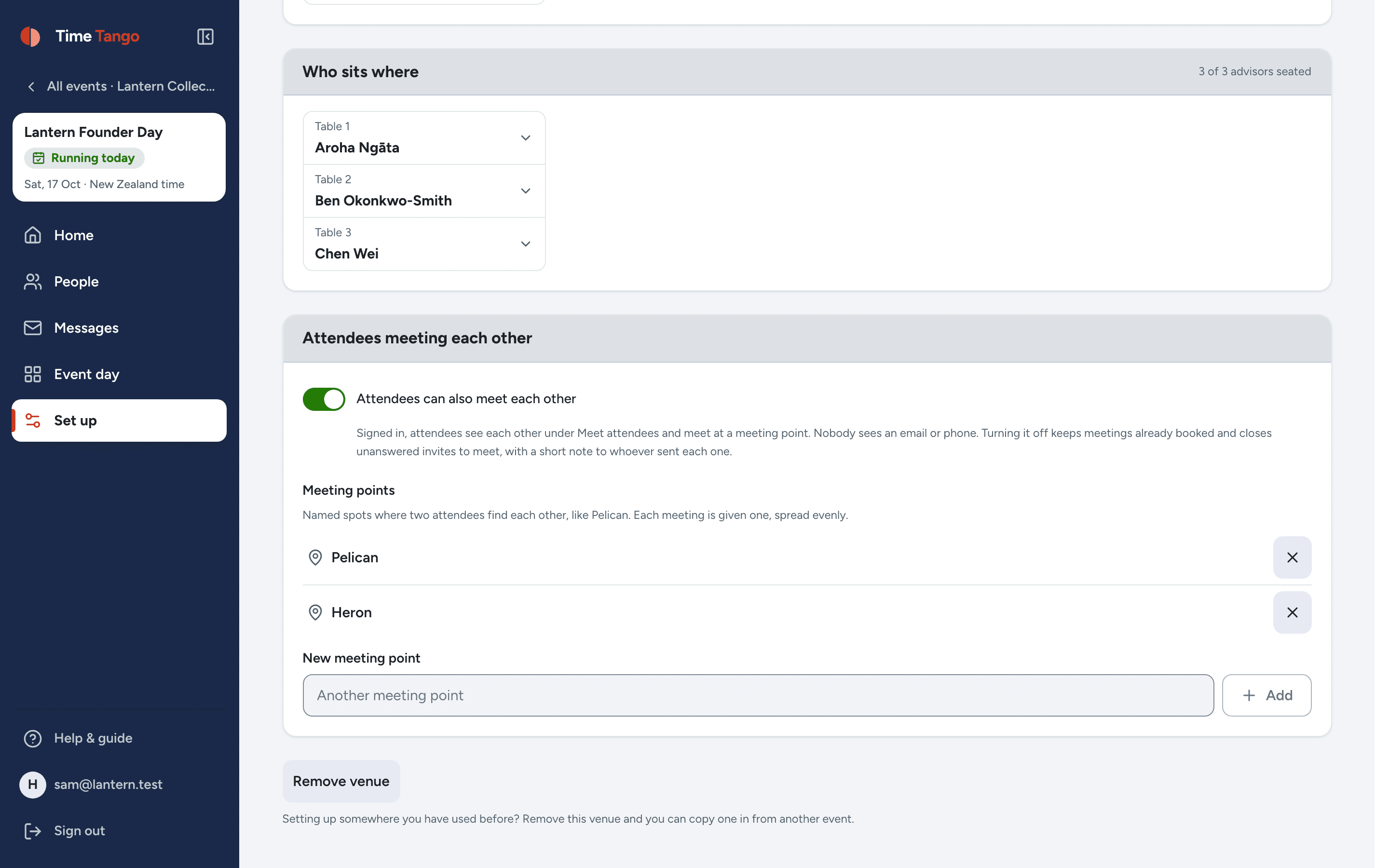
You name the meeting points, Pelican and Heron, say, and print a sign for each. We hand them out so no spot gets crowded. For every meeting block, the open zone list says who meets whom, when and where, on screen and on paper, for whoever is matching people up.

  • One diary per person: nobody is double-booked across founders and guests
  • Only signed-in guests see the list. Hide anyone you need to
  • Reminders before each block, run sheets and the export carry it all
The open zone list for the Drinks meeting block: each pair of guests, their time and their meeting point
Printable, per block

And guests can say who they could help.

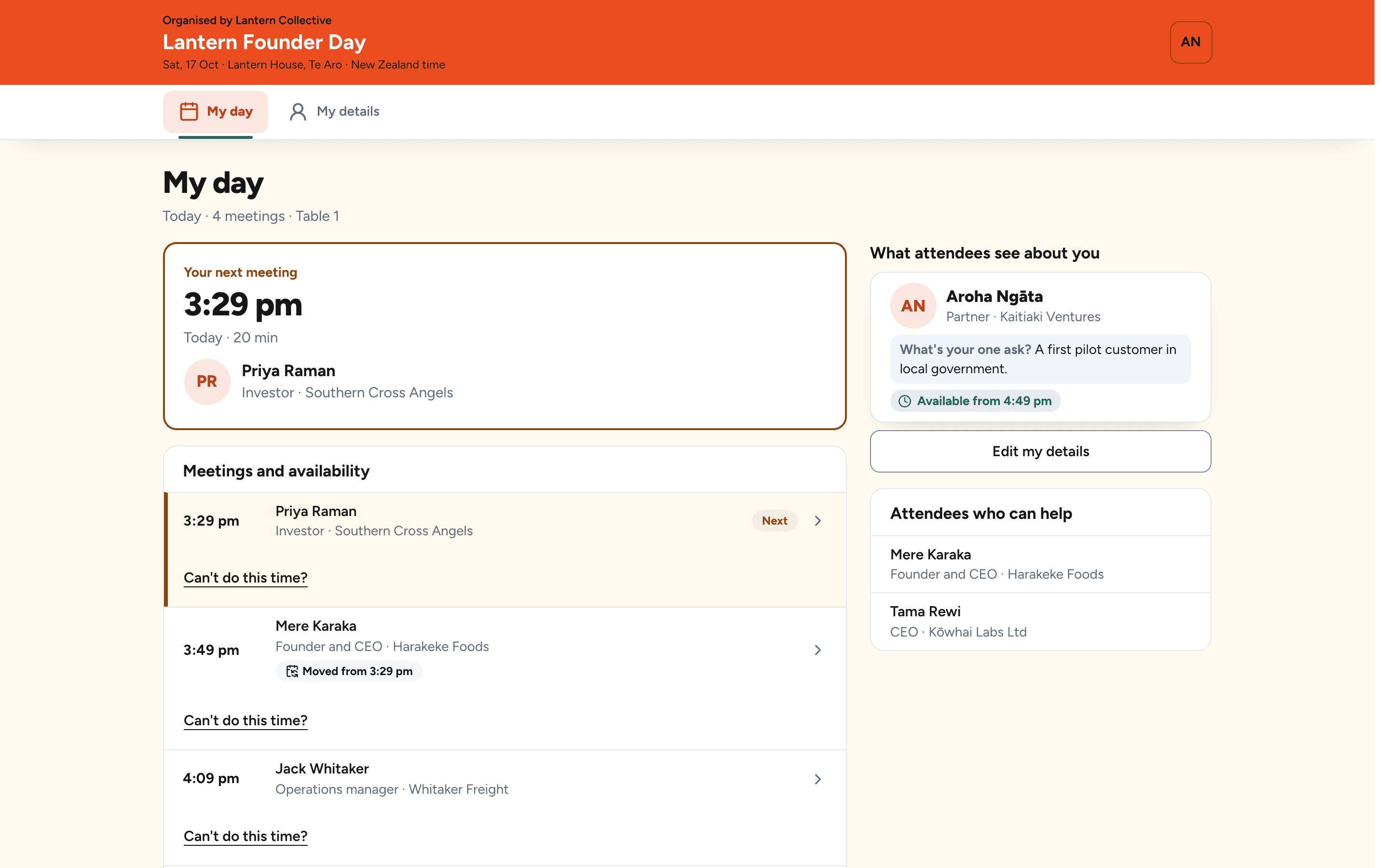
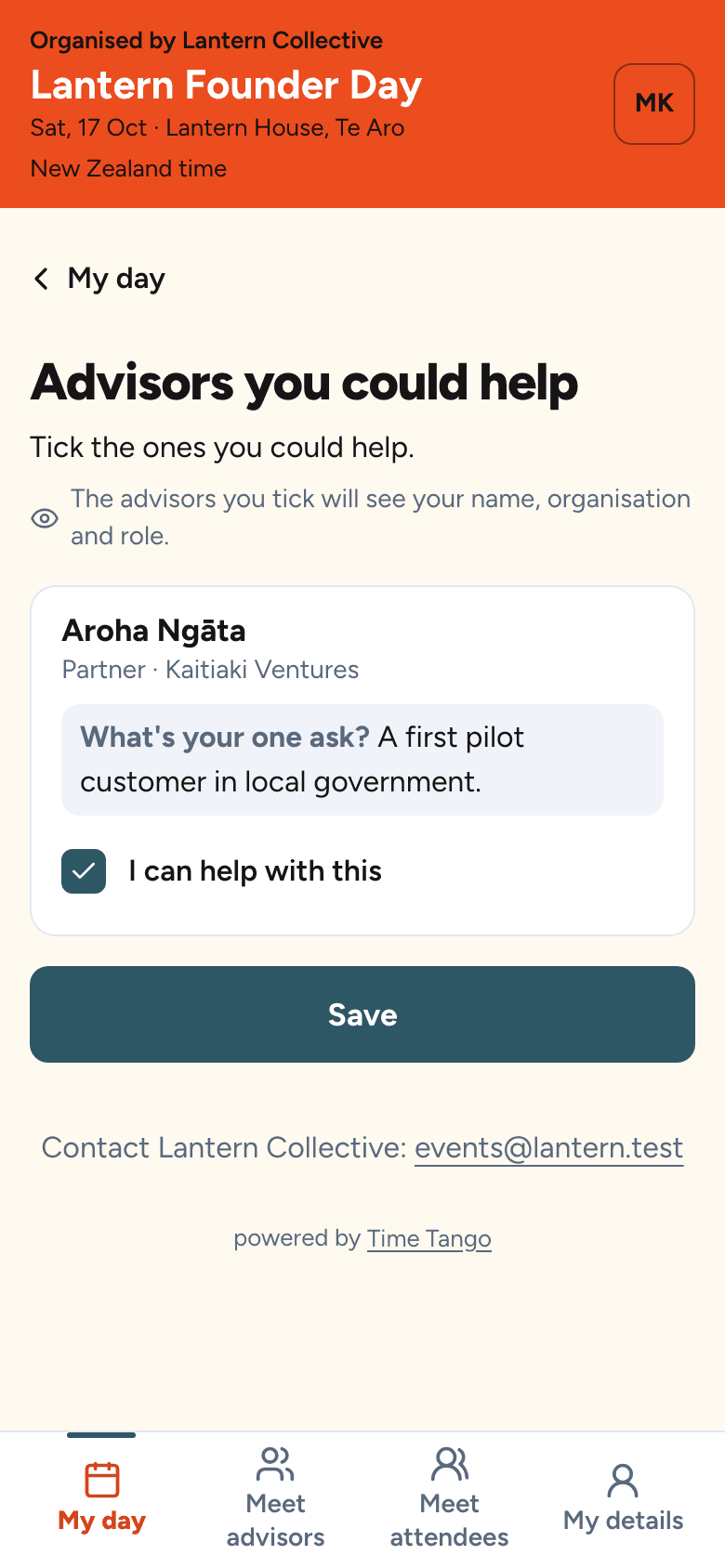
Each founder has an ask. At their first sign-in, guests tick the asks they could help with, and those founders come first when they book. Each founder sees the guests who ticked them. Nobody is ever matched to a founder they didn't choose.

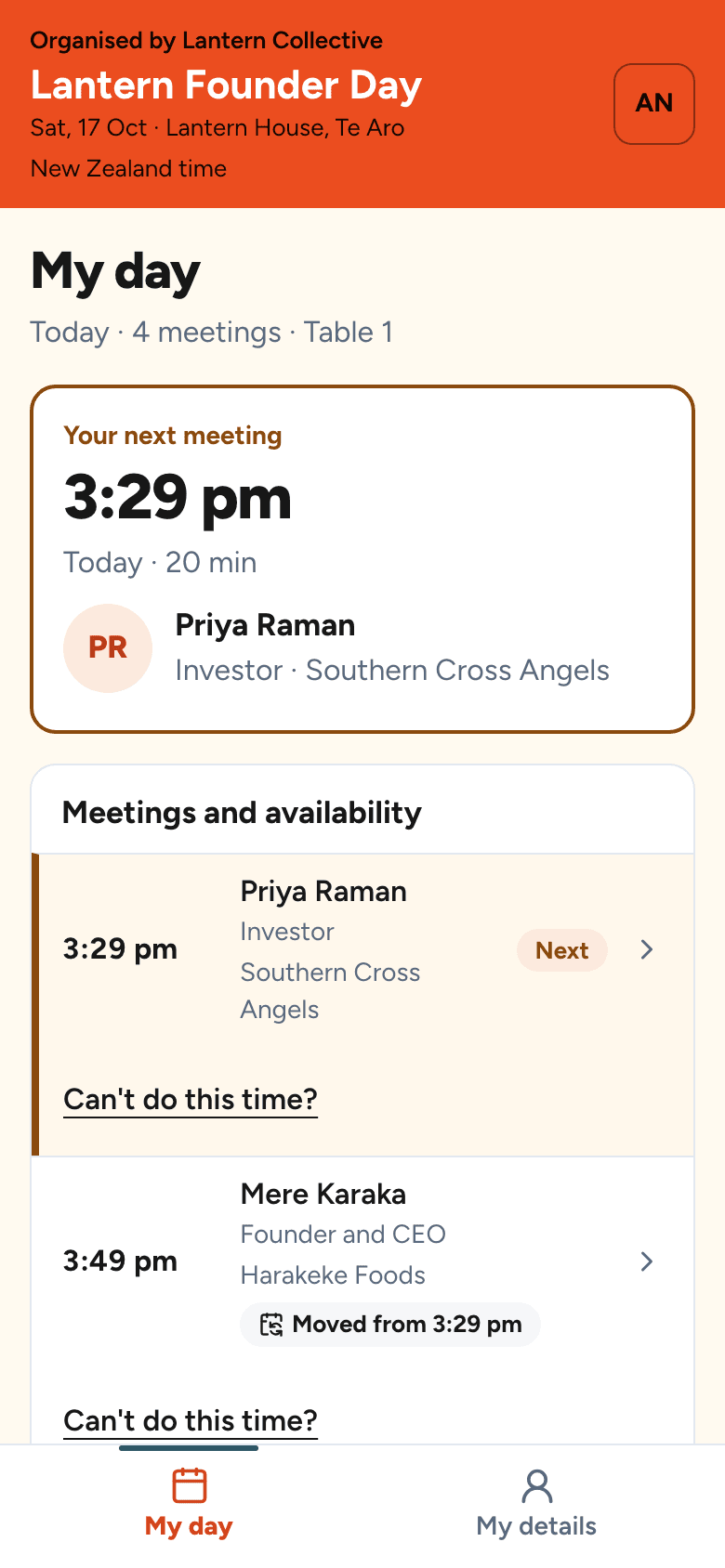
An advisor's day: her meetings, and beside them the attendees who ticked that they could help with her ask
The asks to tick, on a guest's phone
How it works

From an empty event to a full schedule.

Four screens, in the order you meet them. These are the real ones.

Set it up

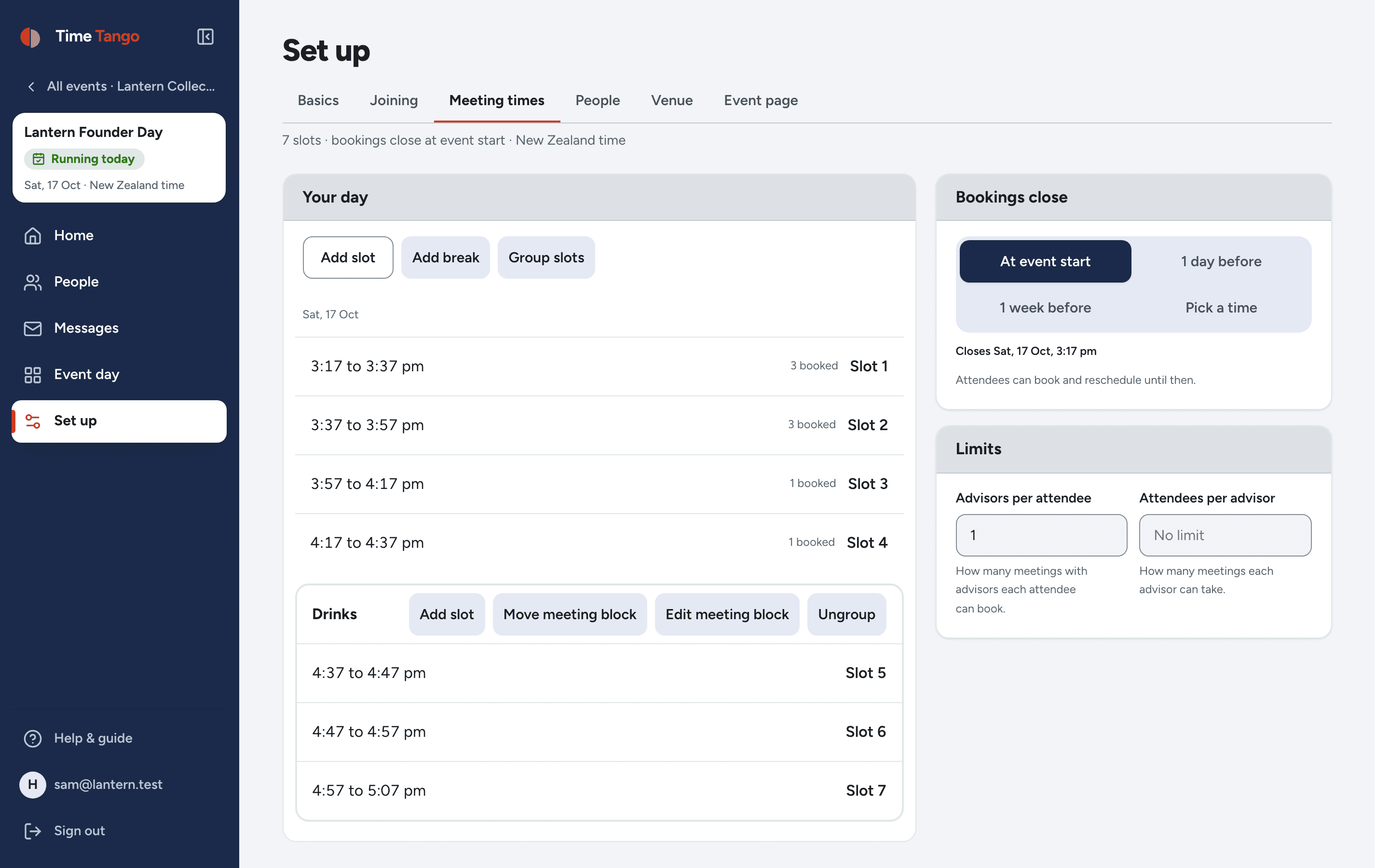
Your times, your rooms, your tables, your people. Group a run of times into a meeting block, like the drinks hour, and that is where guests meet each other. Move a time later and everyone booked into it is emailed the new time, without you writing a word.

The meeting times screen: four 20-minute meetings listed, then three shorter times grouped as a meeting block called Drinks
A meeting block for drinksMove one, everyone is told

Send one link

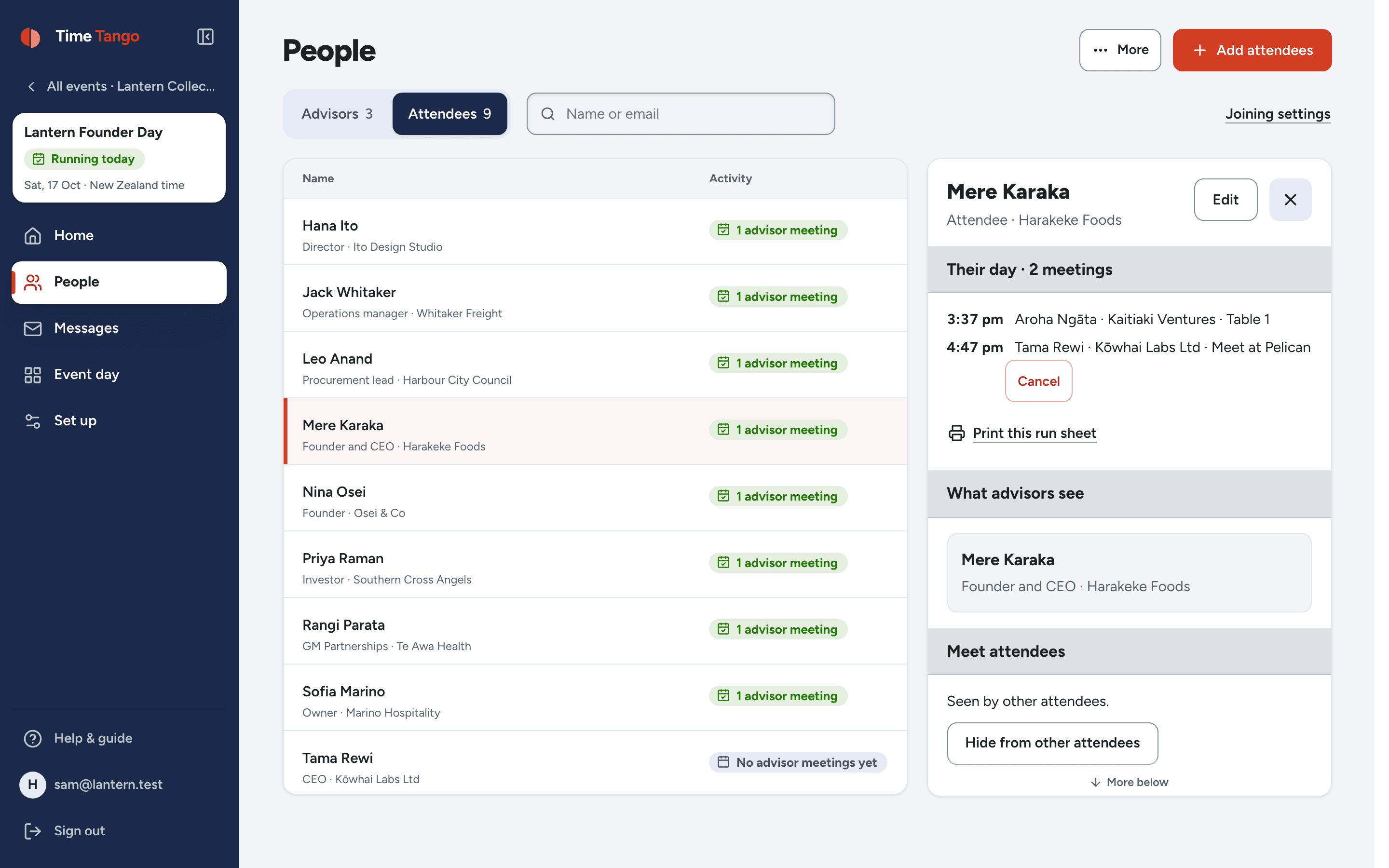
One link does sign-up and booking. Nobody makes an account or downloads an app. You watch who has joined, who has a meeting, and open anyone to see their day, their ticks and who they're meeting.

The People screen: every attendee listed with their organisation and how many meetings they have, and one person's panel open beside the list
One link for the whole event

Nobody chases anybody

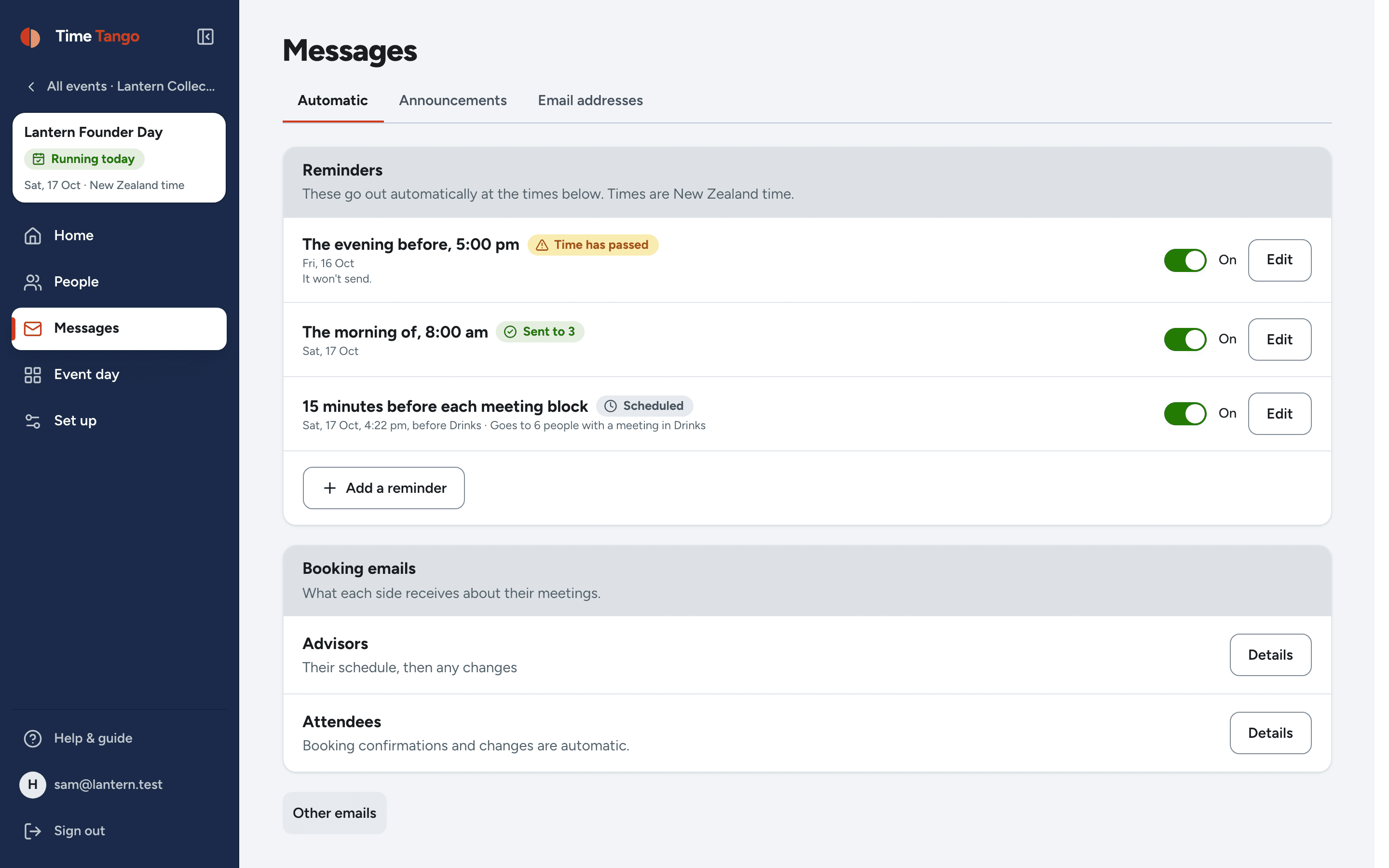
Confirmations, reminders and change notices send themselves. The evening before, the morning of, and fifteen minutes before each meeting block, only to the people with a meeting in it.

The automatic emails screen: each message listed with when it sends, including a reminder before each meeting block
Written once, sent for you

And it tells you how it went

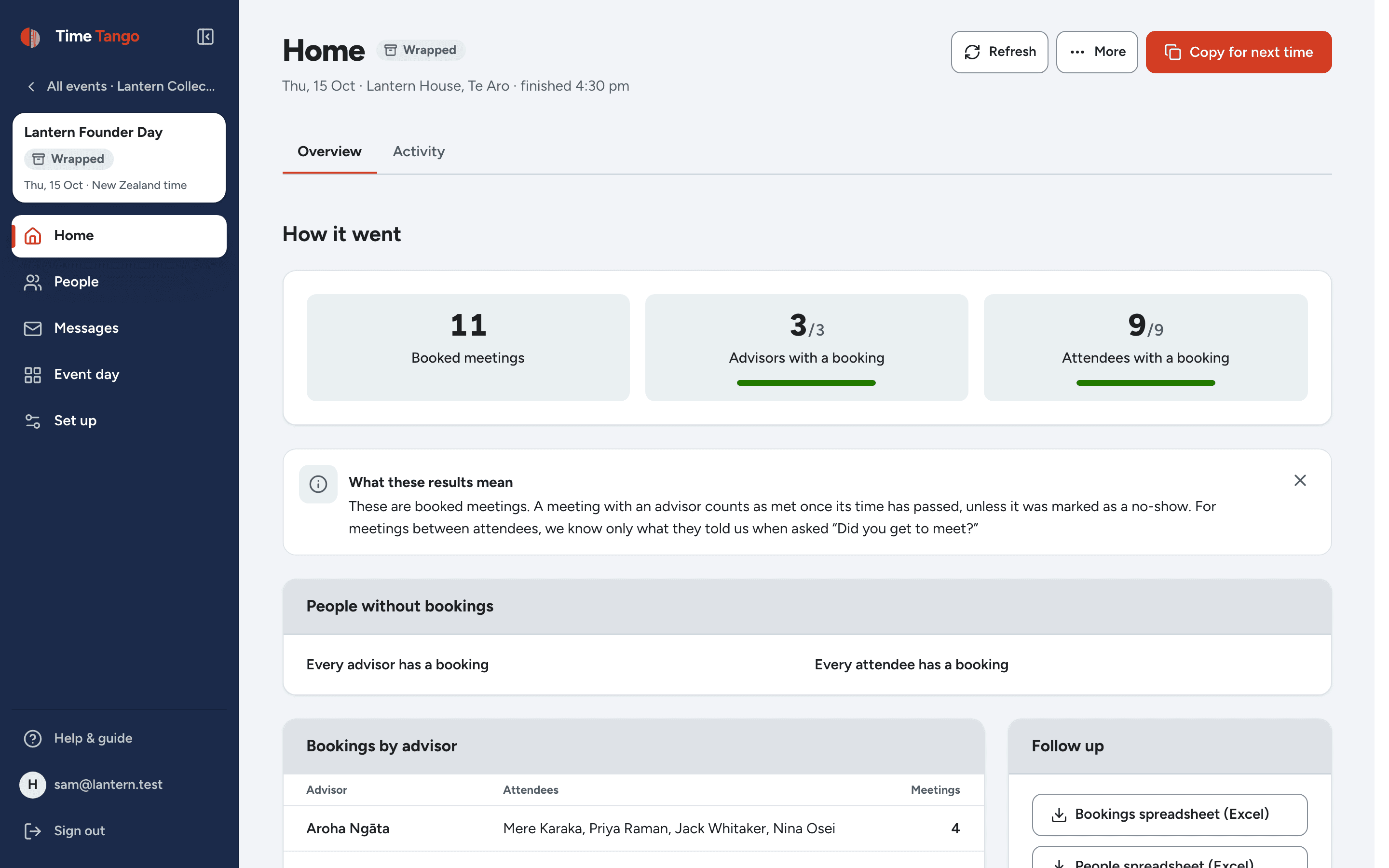
When the day is done the event wraps itself up: meetings held, who didn't turn up, who met whom, including the guests who met each other. Export it, or copy the whole event for next year.

Home after the event: the meetings that happened, who met someone, and the export
Copy it for next year
Event day

Run the day from your pocket.

On the day, the plan meets reality. This is built for the version of you standing in a noisy room holding a coffee.

  • Move a meeting in two taps when someone's running late. Only the times that actually work stay green.
  • Mark a no-show and the freed slot goes straight to the waitlist, in fair order.
  • Seat a walk-in on the spot. The schedule, the emails and the run sheets all keep up.
  • Match people up in the open zone from the list for each meeting block: who meets whom, when, at which meeting point.
  • Print the run sheets anyway. We know you want to. They'll be right, too.
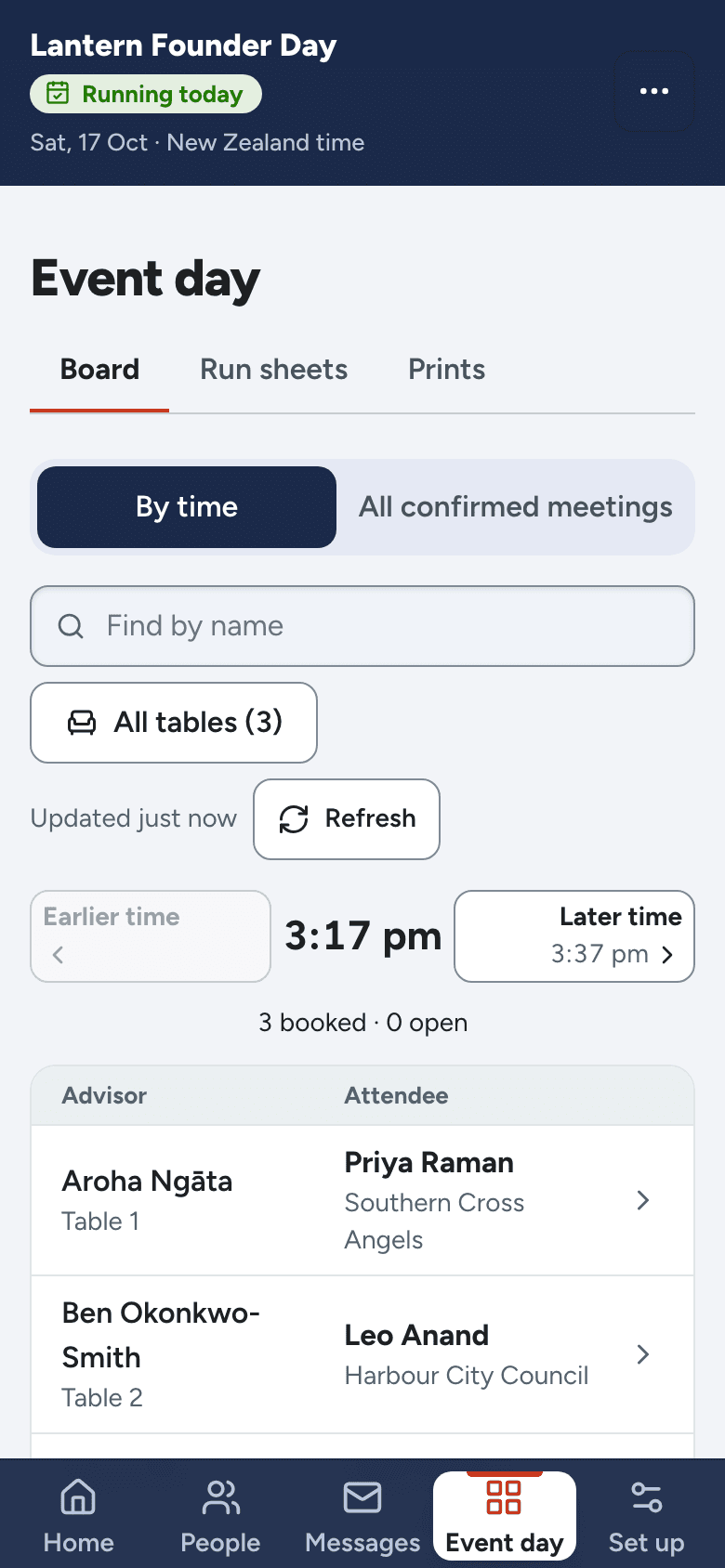
The event day board on a phone: each advisor's table with who they are meeting now and next
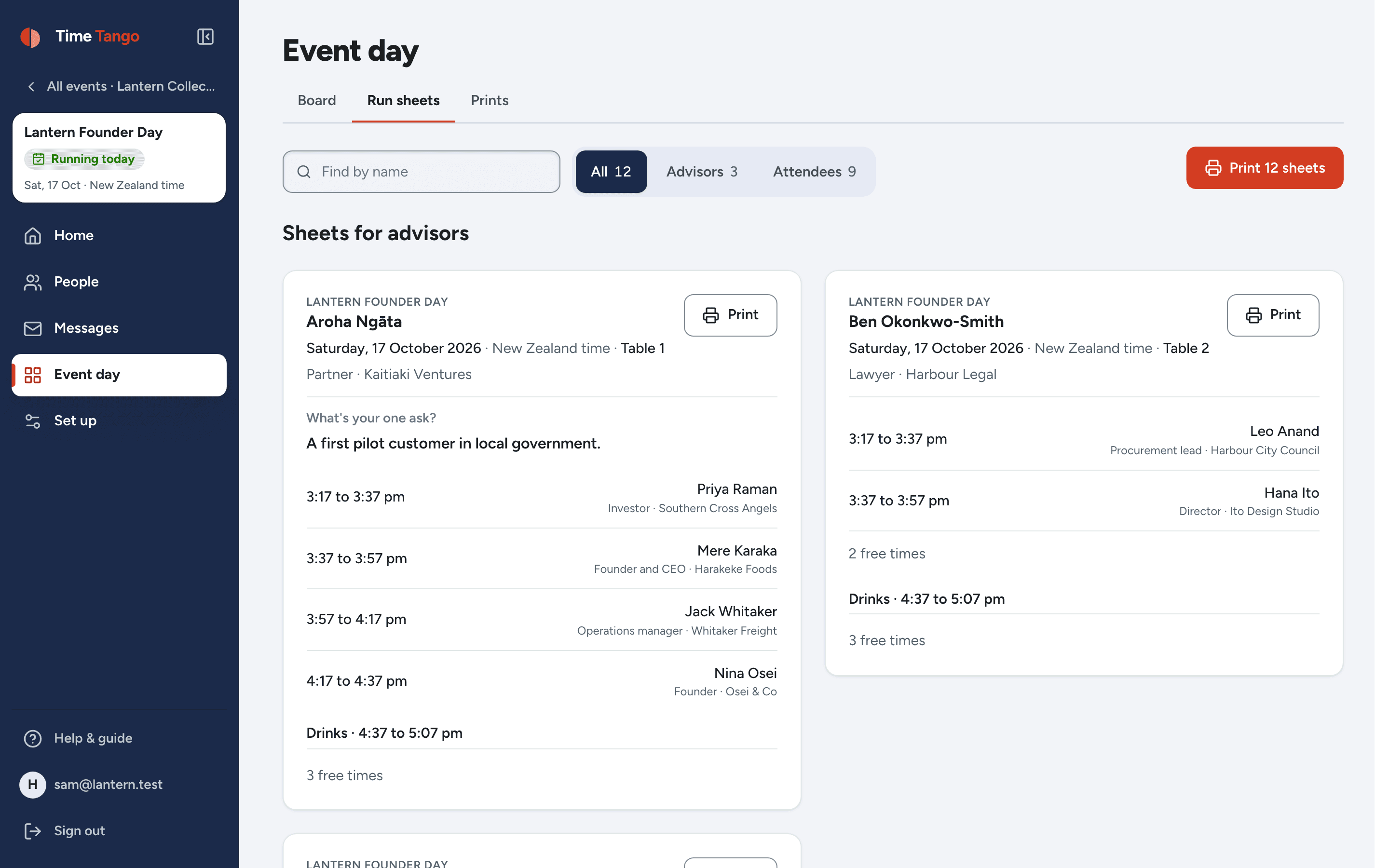
Run sheets: one printable sheet per person, listing each meeting, who it is with, where, and the asks they ticked
And the paper version, for whoever is on the door.
Also in there

The rest of the tool.

Rooms, tables and meeting points in the Time Tango admin
Rooms, tables and meeting points
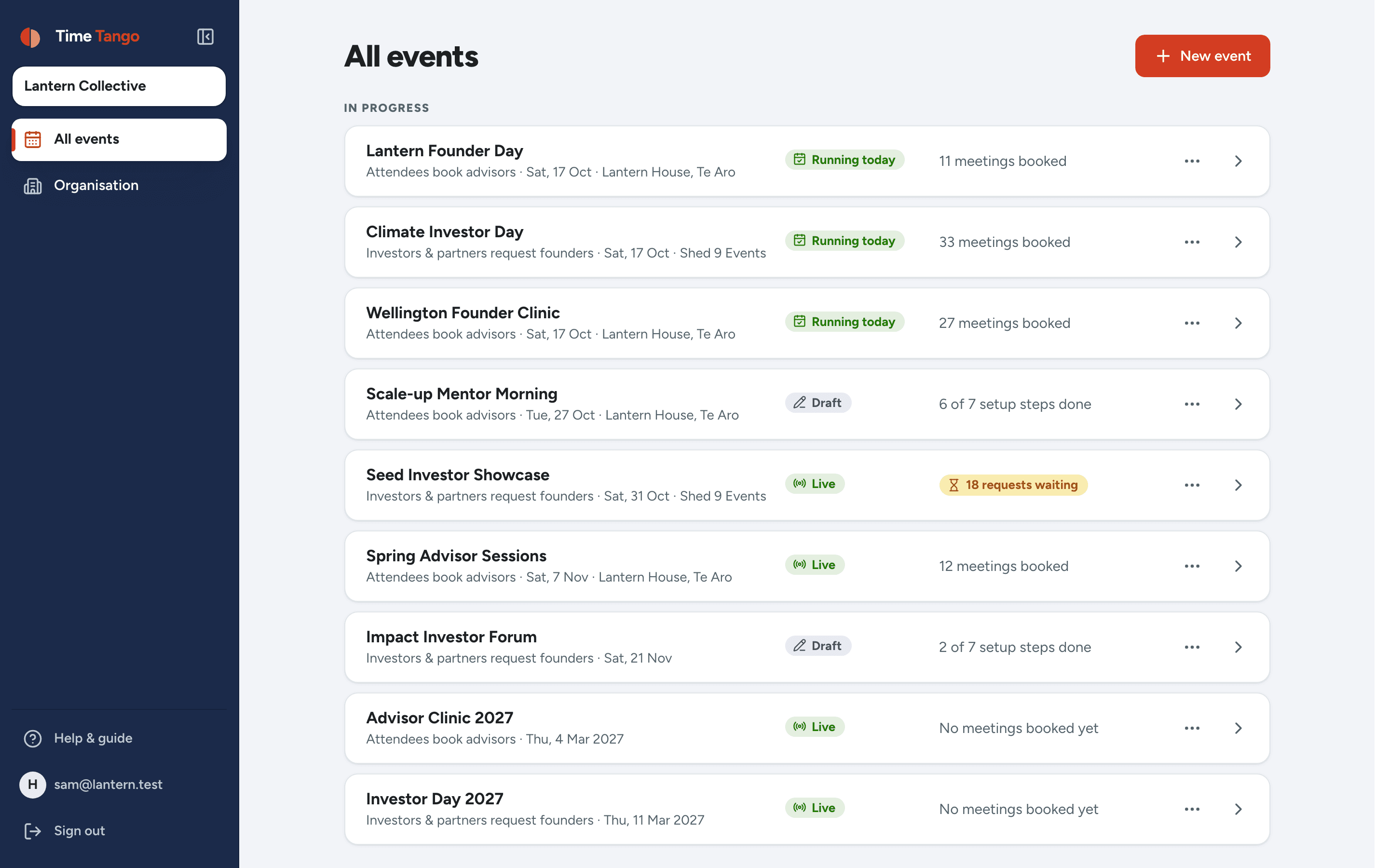
All your events in the Time Tango admin
All your events
Everything that happened in the Time Tango admin
Everything that happened
Home on a phone in the Time Tango admin
Home on a phone
The guest list, on a laptop in the Time Tango admin
The guest list, on a laptop
An advisor's day in the Time Tango admin
An advisor's day
Booking on a phone in the Time Tango admin
Booking on a phone
What it costs

Pay per event. Nothing else.

No per-seat maths, no annual platform fee, no tier called "Enterprise". One event, one price, whoever turns up.

NZ$599per event + GST
  • Unlimited attendees and bookings for your event
  • Both booking styles, guests meeting each other, and new formats as they land
  • Confirmations, reminders, waitlists and printable run sheets
  • Your branding on every screen your attendees see
  • A human on email when you want one
Tell us about your event

We'll tell you whether it fits, and walk you through setup. No sales call unless you want one.

Ready when you are.

Bring us your event and we'll bring the choreography. Booking can be open this time tomorrow.

Already running an event with us? The organiser sign-in is right here. Your participants never need it - their invitation link is their key.